When we author SCCM scripts here, we ensure they return the appropriate exit code to ConfigMgr. As a result of this the user is sometimes presented with a reboot prompt with a countdown timer (the default is 5 minutes in SCCM 2007) due to the installation returning a 3010 exit code.
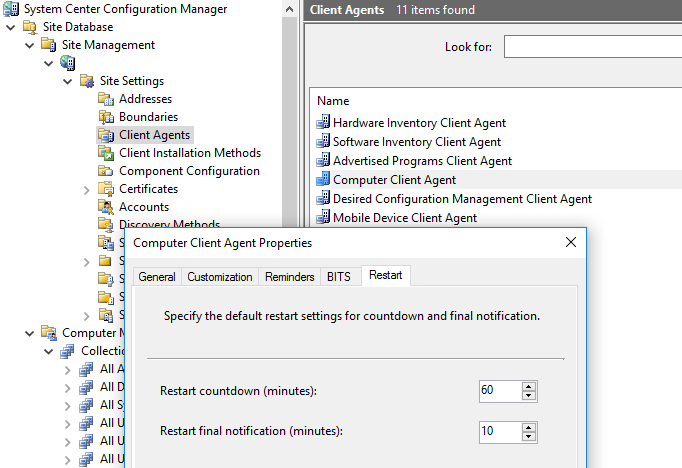
5 minutes didn’t seem quite long enough to force a reboot, and it turns out you can change these settings in: Site Database > Site Manager > [Site] > Site Settings > Client Agent. Right-Click Computer Client Agent and click Properties. Then go to the Restart tab.